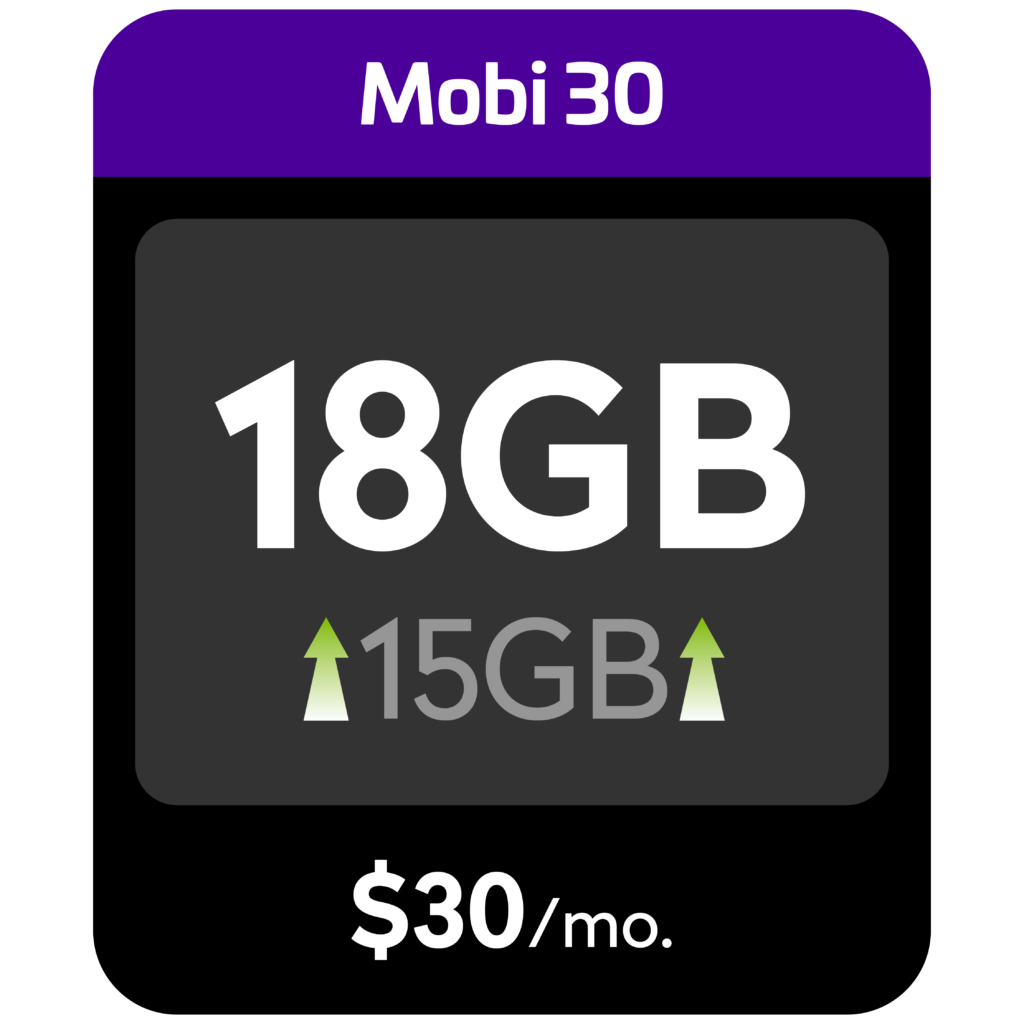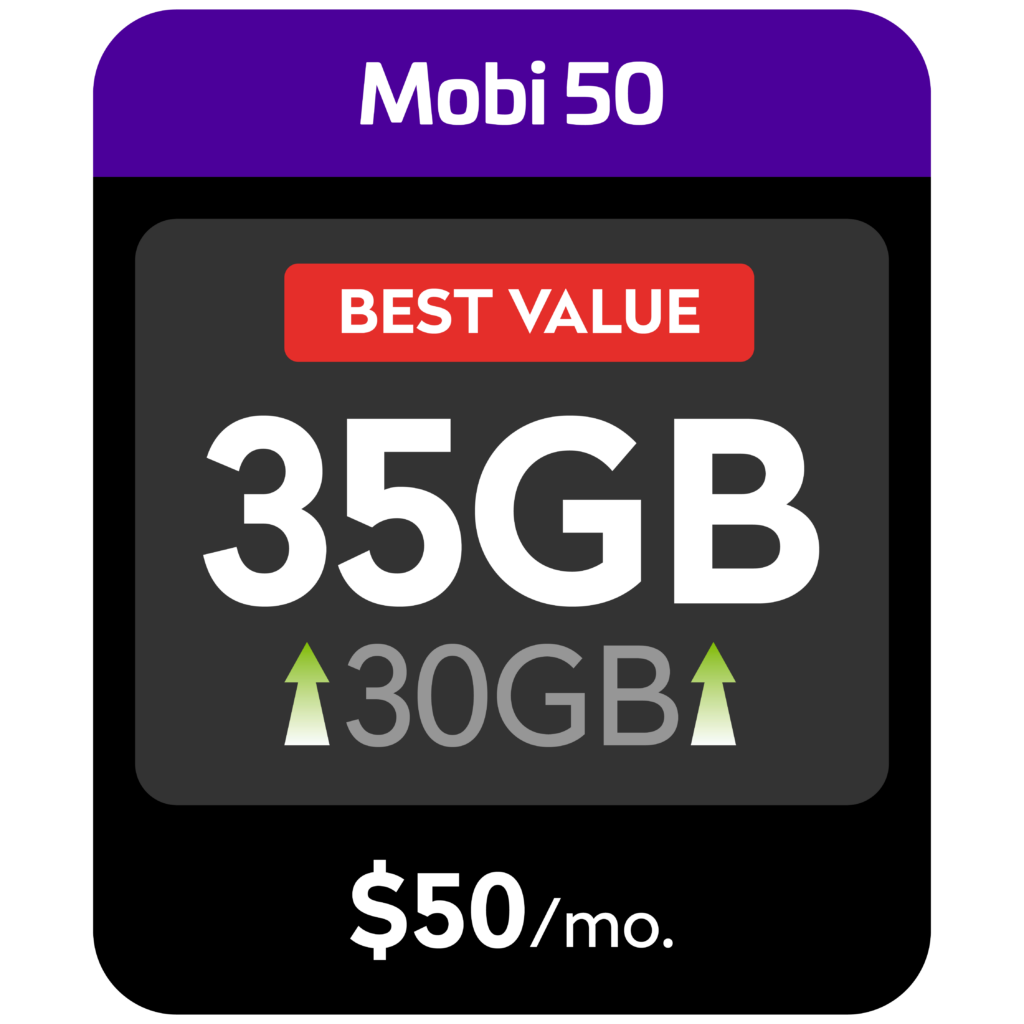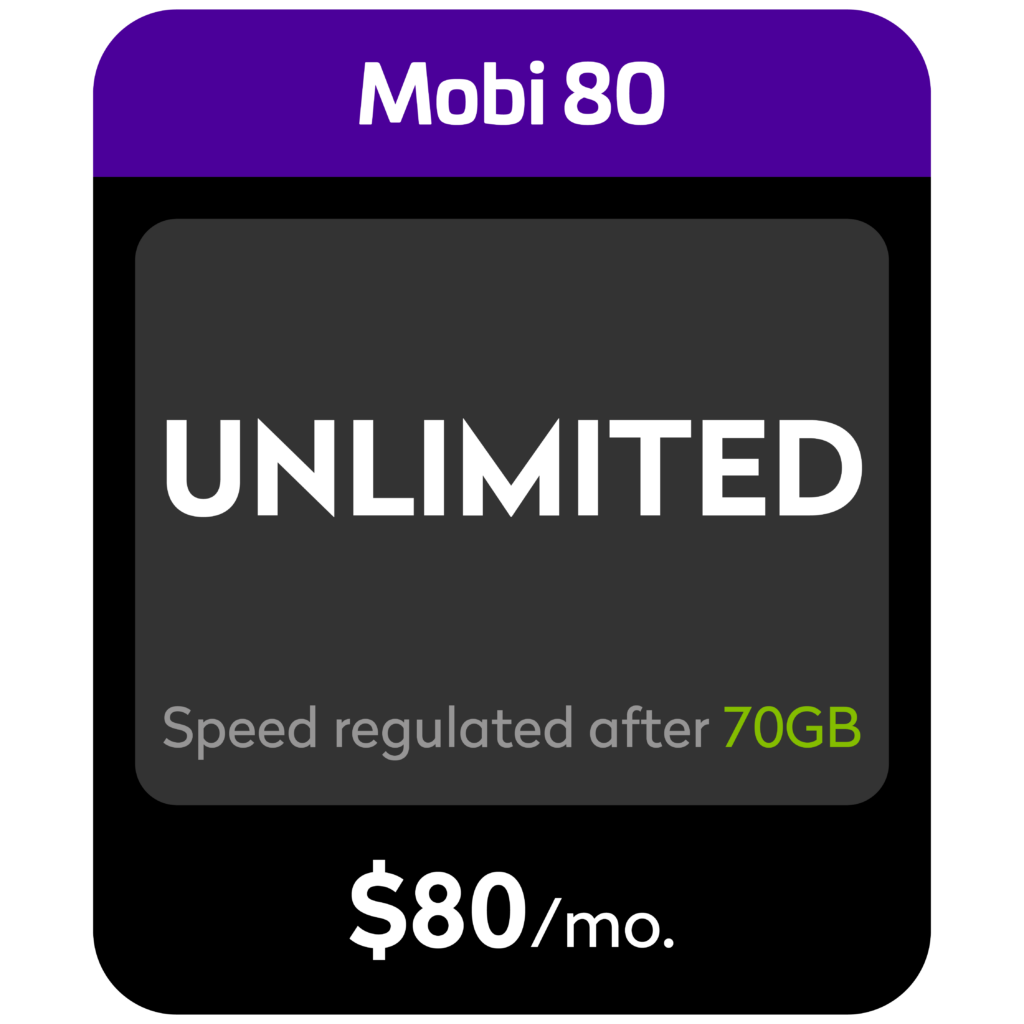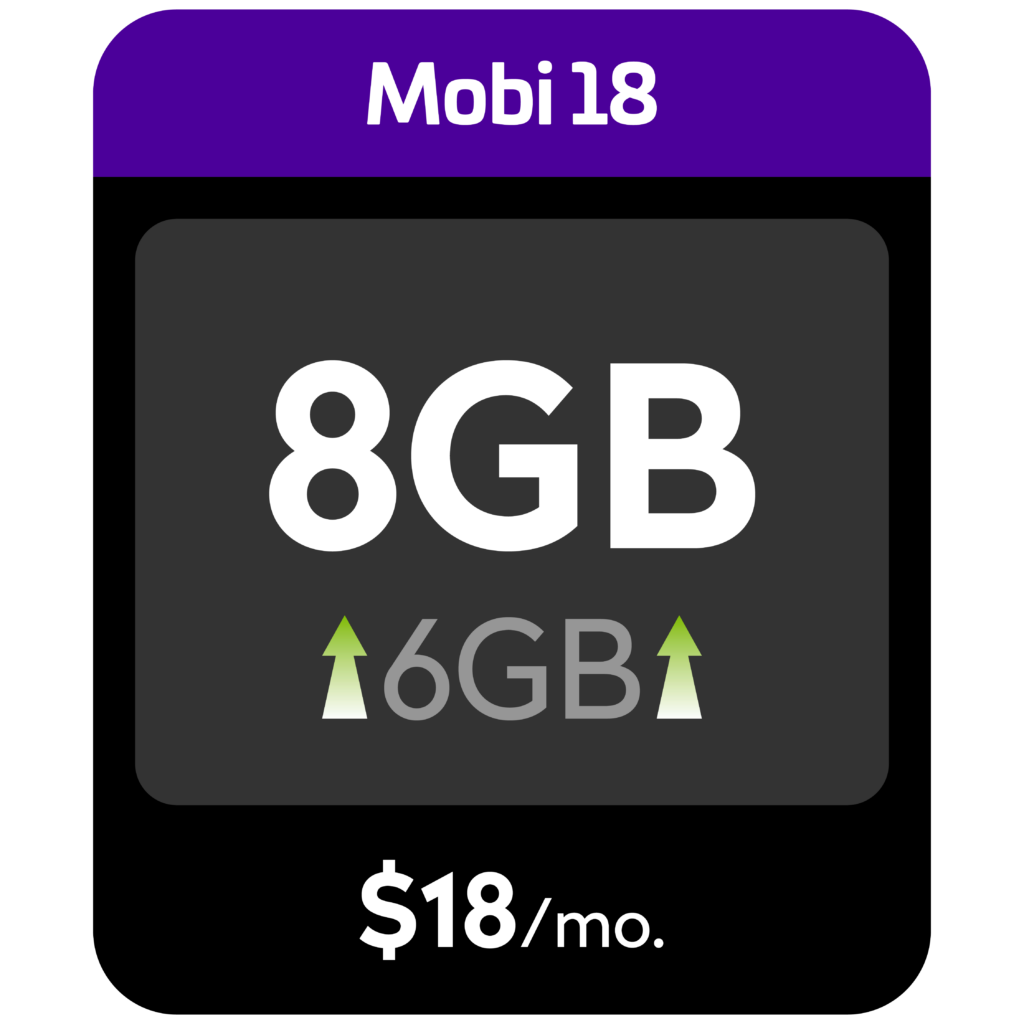





From daily data control to seamless connectivity, enjoy features that fit your lifestyle

Unlimited Calls & SMS
5G Upgrades Available

Auto Data Add-On
Access to Digital Wallet
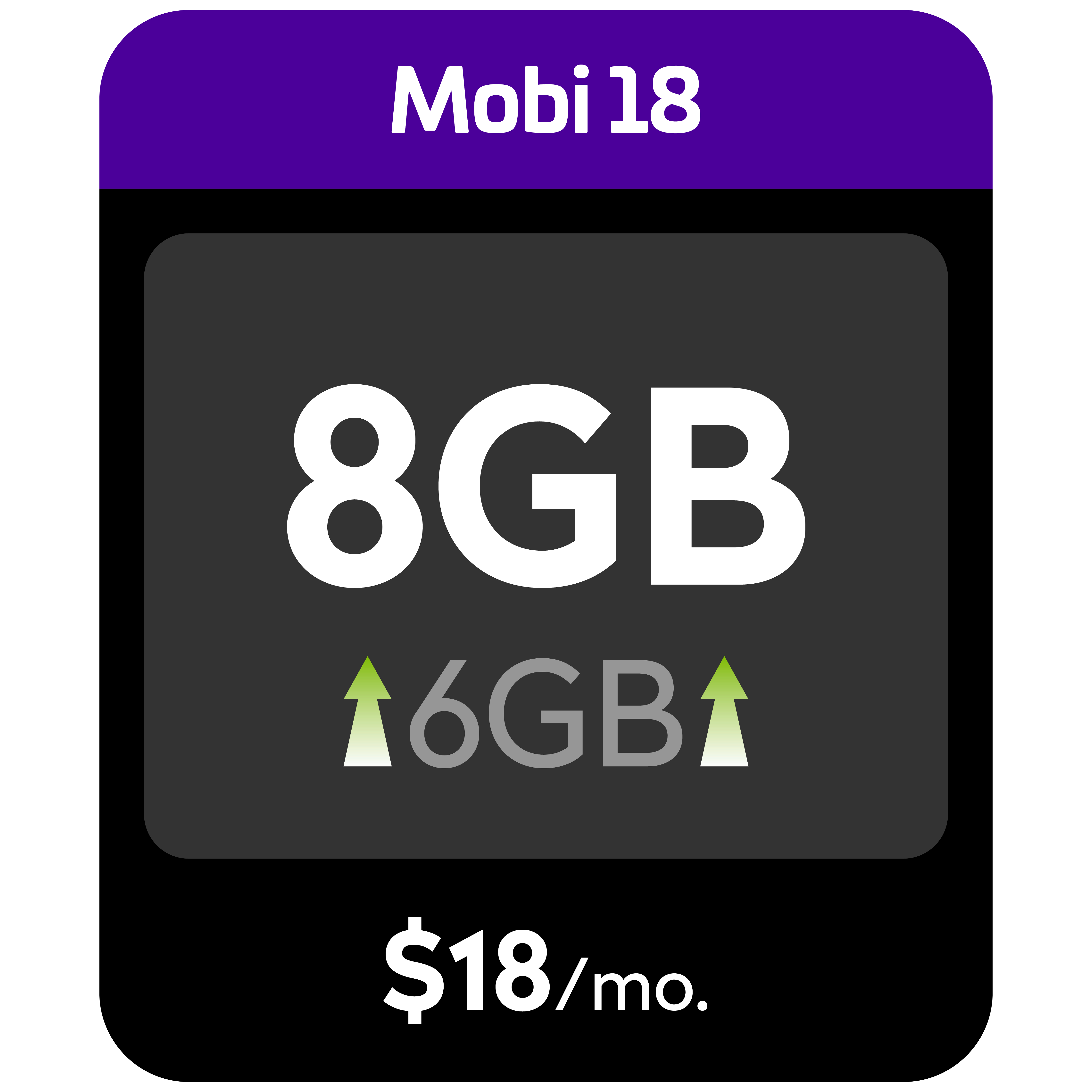
Enjoy unbeatable value with bigger data at any price


Yes – you can upgrade your plan while you are still under a contract.
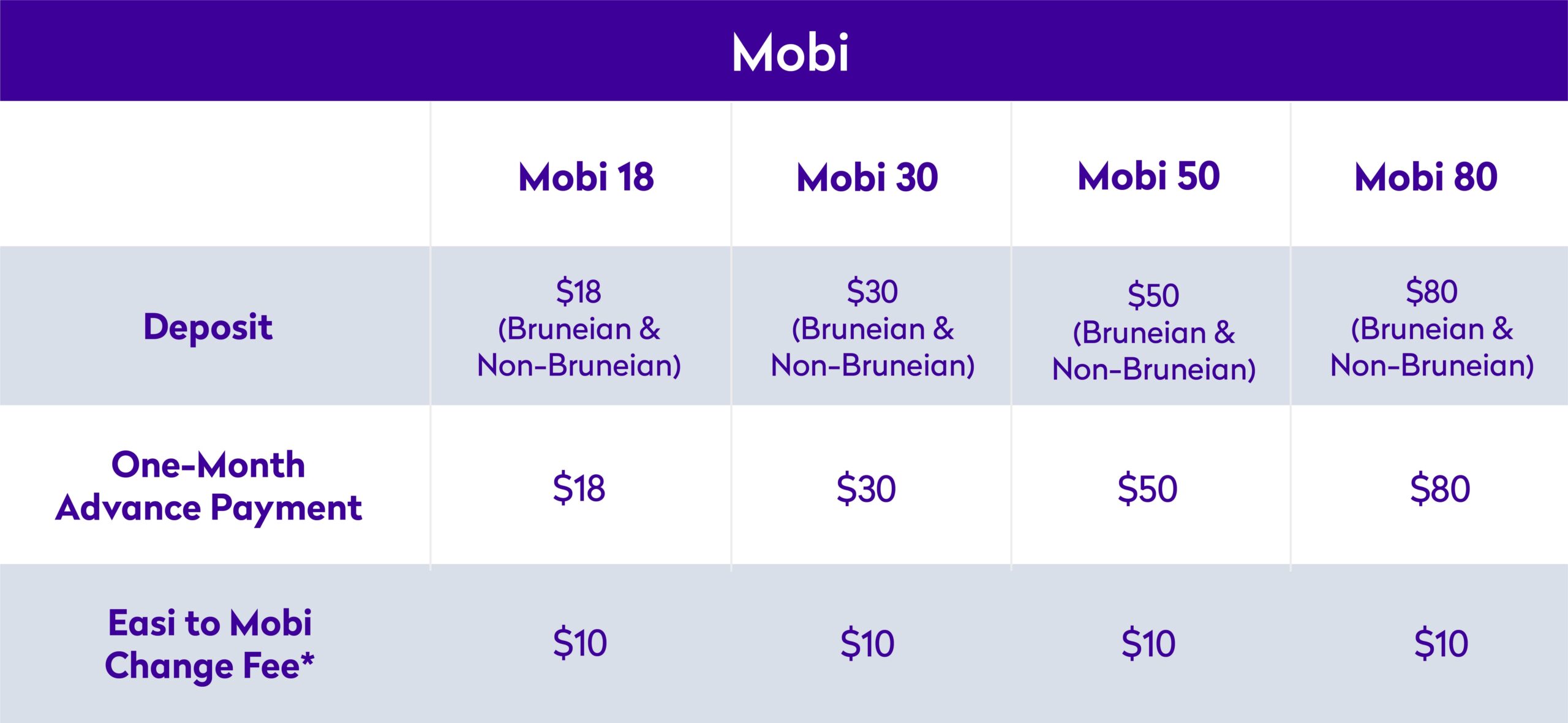
Yes, there is a one-time $10 charge for the downgrade and this will be reflected in your next bill statement.
The Auto Data Add-on is a safety feature that helps you to stay connected once your main data bundle and any active data add-ons are fully used (excluding EduPack, Social Pack & Video Pack).
Key Benefits:
a) Stay Connected Automatically: The $3 1GB 1 day add-on will automatically activate when you run out of data, helping you to continue browsing without interruption.
b) No Data Throttling: Continue enjoying high-speed data instead of total data cut off after your data is fully used.
c) No Bill Shock: The standard Pay-As-You-Use (PAYU) charges are replaced with the Auto Data Add-on ($3 1GB 1 day) for better value and peace of mind.
d) Continuous Coverage: Auto Data Add-on can continue to activate as needed, so you can stay connected wherever you need data.
The Auto Data Add-on applies to all Mobi Mass Market and Enterprise quota-based plans, except all Unlimited Plans.
The Auto Data Add-on is not available for Mobi 80 subscribers.
The Mobi 80 plan remains unchanged, once your main data bundle is fully used, your speed will be throttled and you can still continue browsing at a reduced speed. If you want to restore your data speed, simply purchase a data add-on via the MyDST app.
The Auto Data Add-on will only be activated when all of the following conditions are met:
a) Your Mobi account is active
b) Your main data bundle or any active data add-ons have been fully used
c) You have sufficient credit limit balance
Once these conditions are met, the $3 1GB (1 Day) add-on will be automatically activated to maintain connectivity.
The $3 1GB (1 Day) add-on is valid for 24 hours from the time of activation.
If your credit limit is reached, the Auto Data Add-on will not be activated.
In this case, you will not be able to use the mobile data services and access the internet until you have paid your bills.
The Auto Data Add-on is a standard safety feature for eligible Mobi plans (excluding Unlimited Plans). It is designed to help keep you connected and prevent unexpected high charges.
To keep you fully informed, we will notify you at key stages via SMS:
a) 50% and 80% usage alerts: You’ll receive reminders that your data is running low, giving you the opportunity to purchase a preferred add-on early
b) 100% usage notification: This is your final alert that the $3 1GB 1-Day Auto Data Add-on will be activated if no add-on is purchased, helping you stay connected and avoid bill shock
The Auto Data Add-on can activate more than once in a billing cycle, whenever your main data bundle and any active add-ons have been fully used, and your account has enough credit.
Only one Auto Data Add-on will be active at a time. A new one will only activate after the current one has been fully used or has expired.
It will continue to activate as needed until your next billing cycle resets, as long as the conditions are met.
If you prefer more data in one go, you may consider purchasing a higher-value add-on that better suits your needs, such as $10 for 5GB (30 days), for greater convenience and peace of mind.
No. You are not locked into a fixed daily charge. You are always in control of how you use and manage your data.
Here are ways you can manage your usage:
a) Buy a data add-on early: Purchase via the MyDST app when you receive your usage alerts. Once a manual add-on is purchased, the Auto Data Add-on will not activate.
b) Switch to a higher-value add-on: If the Auto Data Add-on activates, you can still purchase a larger data add-on (e.g. $10 for 5GB, 30 days) to reduce repeated activations and better manage your usage.
The Auto Data Add-on is designed as a safety net to help you stay connected and avoid bill shock. While it cannot be manually turned off once it is triggered, you are always in control of your data usage and can manage it in advance.
Here are some ways to stay ahead of your usage:
a) Buy data before you run out: Purchase a data add-on anytime via the MyDST app or by dialling *433# once you receive usage reminders at 50%, 80%, or 100%.
b) Use WiFi when available: This helps reduce mobile data usage and prevents reaching your limit unexpectedly.
c) Manage your settings: You may switch off Mobile Data in your device settings if you prefer to pause usage once your bundle is close to or fully used.
Yes, you can easily do so by turning off your Mobile Data in your phone settings before or once your data bundle reaches 100%.
The Auto Data Add-on is available as a safety option to help you stay connected and avoid high Pay-As-You-Use (PAYU) charges, but the choice to pause data usage is always in your control.
The Auto Data Add-on is designed as a safety net to help protect you from high Pay-As-You-Use (PAYU) charges by providing a fixed-cost option when your data runs out.
If you’d like to make your current data last longer, here are some simple tips you can try:
a) Turn ON Low Data Mode in your phone settings to reduce background data usage
b) Turn OFF Wi-Fi Assist to prevent your phone from automatically switching to mobile data when Wi-Fi is weak
c) Turn OFF Auto Updates to set app and software updates to run only over Wi-Fi to avoid large data usage
d) Turn OFF Background App Refresh to stop apps from using data in the background when you’re not actively using them
The Auto Data Add-on will not be activated in the following situations:
a) Inactive line: Your account is suspended or disconnected.
b) You still have data: You have remaining data in your main bundle or an active data add-on (including an existing Auto Data Add-on).
c) Unlimited plans: You are subscribed to an unlimited plan such as Mobi 80.
d) Mobile data is turned off: If Mobile Data is disabled in your device settings, no data usage will be detected.
e) Credit or balance issues: Your account has reached its credit limit or has less than $3 available credit.
You can check your remaining data for both your main bundle and Auto Data Add-on at any time through the MyDST app or dial *433#
You can track your Auto Data Add-on details through:
a) MyDST App: View your remaining data balance and expiry time on the home screen while the add-on is active. Note: The $3 charge will not be shown in real time in the app.
b) Bill Statement: All Auto Data Add-on charges will be shown in your monthly bill statement, including the date each charge was applied.
c) SMS Alerts: You will receive a notification every time the Auto Data Add-on is activated.
d) Customer Support: Call 151 (or 16868 for Enterprise customers) to check your current unbilled charges.
In some cases, SMS notifications may be delayed. However, you can still stay in control of your usage at all times.
Here’s what you can do:
a) Check your usage anytime: Use the MyDST app or dial *401# to view your real-time main data usage.
b) Understand how it works: The Auto Data Add-on is triggered once your main data bundle is fully used to ensure uninterrupted connectivity.
c) Manage future usage: If the Auto Data Add-on has activated and you still have many days left in your cycle, you may purchase a higher-value add-on (e.g. $10 5GB 7 days) to reduce repeated activations.
We introduced the $3 1GB 1-Day Auto Data Add-on to give you a more affordable, transparent, and seamless way to stay connected.
Previously, once your main data bundle was fully used, the standard Pay-As-You-Use (PAYU) rates of $0.01 per 200KB were applied. While this may seem small, it can add up to around $50 per GB, which often results in unexpected high charges or “bill shock” at the end of the month.
With the Auto Data Add-on you get to enjoy:
a) Lower cost: The new Auto Data Add-on provides 1GB for $3, replacing the previous PAYU rate of up to $50/GB — more than 90% savings.
b) More transparency: Instead of accumulating hidden usage charges, you now receive a clear 1GB data block with an SMS notification when it is activated.
c) Better continuity: The feature acts as a safety net so essential apps like WhatsApp, Email, and Maps can continue working even after your main data is used up.
This change helps you stay connected with more control over your spending, while reducing unexpected charges and improving overall digital experience.
Yes, the Auto Data Add-on will still be activated even if you have an active EduPack, Social Pack, or Video Pack as it only covers specific apps or websites.
Yes, but only after your current Auto Data Add-on has been fully used or has expired.
You will not be charged for multiple Auto Data Add-ons at the same time, as only one Auto Data Add-on can be active at a time.
Note: To avoid Auto Data Add-on charges, you can buy a Mobi data add-on in the MyDST app before your data runs out.
The add-on with the shortest validity period will be used first, which in this case will be the $3 1GB 1 Day add-on.
Note: All add-ons start their validity period from the time of successful purchase.